File Browser
Browse and view files from the web UI without needing terminal commands.
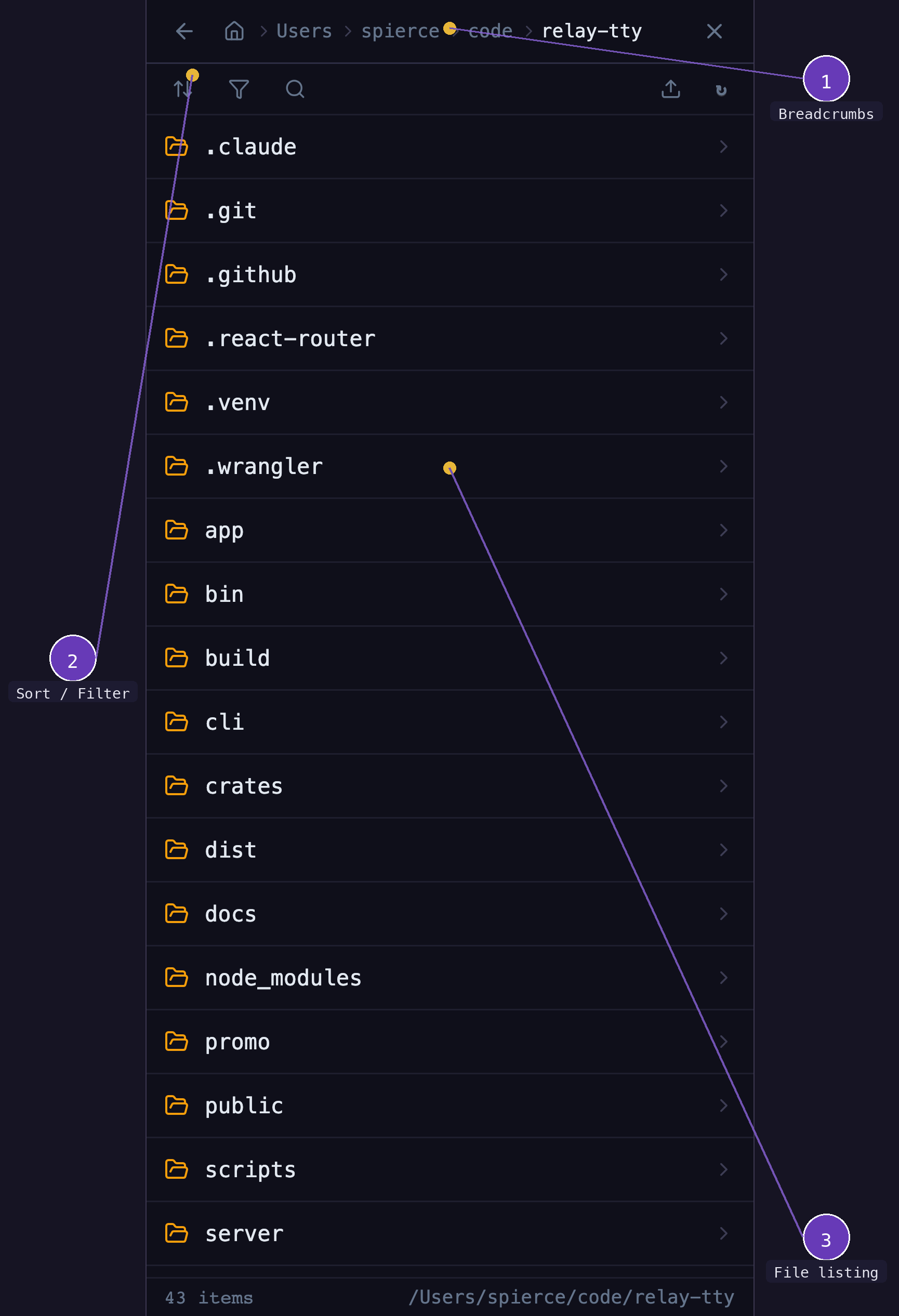
- Path breadcrumbs — navigate up through the directory tree
- File listing — directories and files with sizes and types
- Filter & sort — toggle filters (files/dirs/hidden), sort by name/size/date, search
Opening the file browser
Tap the folder icon in the session header to open the file browser panel.
Navigating
- Click directories to drill down
- Use the breadcrumb path to navigate up
- File contents are displayed in a syntax-highlighted viewer
Uploading into the current folder
The upload icon in the file browser toolbar uploads files into the folder you're currently viewing. The new files appear in the listing right away — long-press (mobile) or right-click (desktop) one to Copy absolute path. The copied path is shell-quoted when it contains spaces or other metacharacters, so it pastes at a prompt as a single argument. See Uploading Files for the full upload workflow.
Supported file types
The file viewer supports syntax highlighting for common programming languages and file formats.
Rendered previews
Markdown (.md, .markdown, .mdx) and HTML (.html, .htm) files open
rendered rather than as source, so they are easier to read. The toolbar has a
toggle that switches between the rendered view and the highlighted source; the
code icon drops to source and the eye icon goes back to the preview.
Editing a file always shows the source.
HTML previews run in a sandboxed frame with no access to the relay app, which
means a self-contained page renders with its own styling and scripts, but a
page that loads sibling .css or .js files by relative path renders without
them. Switch to the source view for those.
Opening files from the terminal
Clicking a file path in terminal output opens that file in a slide-in side panel.
- Resize it (desktop): drag the panel's left border to make it wider or narrower. Width is clamped between roughly 320px and 80% of the window.
- Remembered width: your chosen width is kept for the rest of the browser session and reused the next time a file opens.
- Mobile: the panel fills the screen (nothing to drag).
- Close it: press Esc or click the dimmed area outside the panel.